CarLink - Car Play Connect
- 4.5
- Rating
- 1.00M
- Installs
- Free
- Price

 Analysis by App-foxy
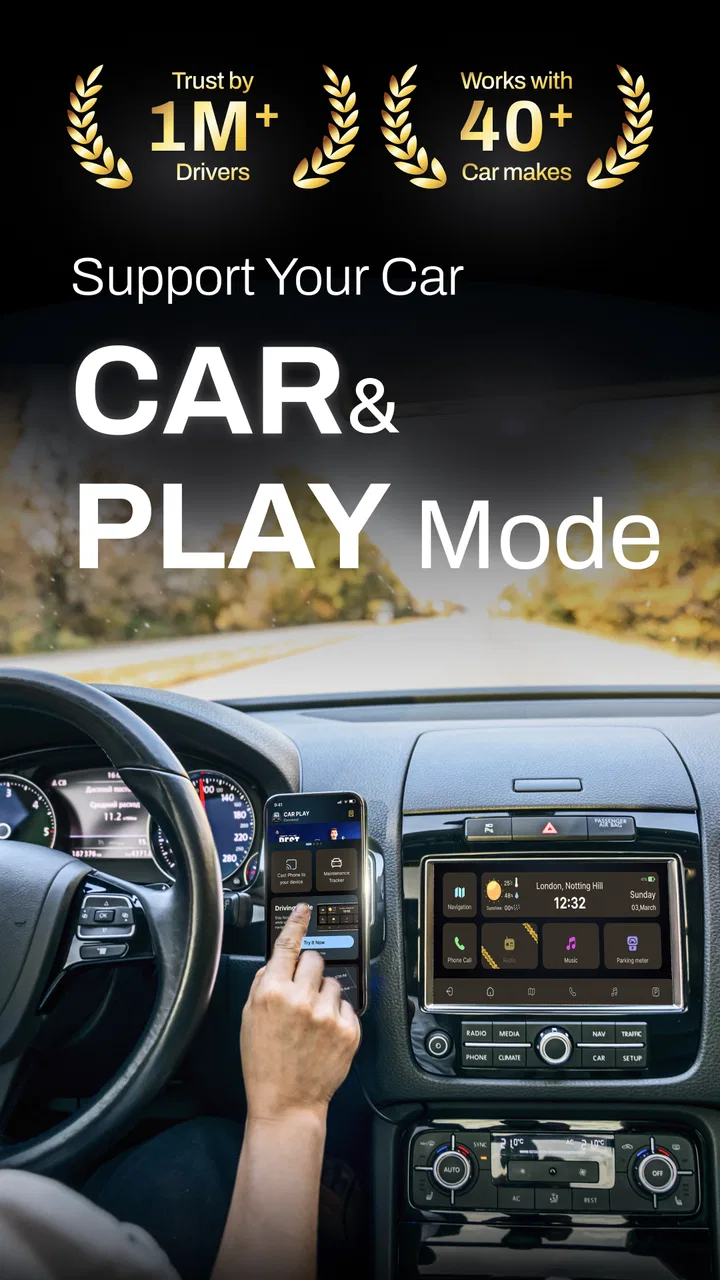
I found CarLink - Car Play most useful as a bridge between a phone and a compatible car display. Its purpose is straightforward: bring navigation, music and calls into a driving setup that is easier to glance at than a phone held in the hand. After spending time with it, my view is that it can be a practical choice for drivers who want a simple connection layer, but its value depends heavily on the car, phone and driving environment around it.
That last point matters. This is not a replacement for a vehicle’s entire infotainment system, and I would not treat it as a magic solution for every dashboard. It is an Android Auto and car connectivity app in the Auto & Vehicles category, developed by CoolDev Co Ltd, and it works best when the basic connection between the phone and the car is already suitable. The app is free to start, carries an Everyone age rating, and includes optional purchases ranging from $7.99 to $54.99 per item.
How the interface supports quick reading and navigation
The strongest part of the concept is its focus on the information I actually need while driving. Navigation, audio and calls are more useful in the car than a crowded phone screen, especially when I am trying to keep my attention on the road. A dashboard-oriented experience can reduce the temptation to pick up the phone, even though it does not remove the need for safe driving habits.
You May Also Like

 Blood Strike: 2.5 Anniversary
Blood Strike’s Loadouts Turn Every Drop Into a Tactical Gamble
A close look at Blood Strike’s custom loadouts: how fast access to signature weapons reshapes its battle royale rhythm, rewards preparation, and narrows the gap between fights.

 Pandora - Music & Podcasts
Pandora’s Music Is Easy to Start, but Harder to Recover
Pandora’s strength is its low-effort path from a seed to a station. Its weak spot is how much confidence it asks you to place in connection, setup, and quiet recovery.

 8 Ball Pool
 Is Built on Rivalries, Rematches, and Routine
A close look at the rivalries, rematches, shared routines, and unanswered safety questions that turn a quick pool match into a persistent mobile community.

 Samsung Music
’s Quiet Strength Is Playing What You Already Own
Its reach comes less from spectacle than from dependable access to a personal library. That simplicity is both the app’s strongest retention engine and its ceiling.

 AccuWeather: Weather Radar
AccuWeather Review: A Quick, Clear Forecast for Everyday Decisions
For everyday plans, the best forecast is the one you can understand quickly. AccuWeather makes rain timing, radar, and local conditions easy to act on, with a few trade-offs.

 Hill Climb Racing
Why Hill Climb Racing Still Turns Crashes Into One More Run
A tiny car, a bumpy hill and one more upgrade: Hill Climb Racing keeps resurfacing because its simple chaos makes every near-miss feel personal.
More From Our News Desk



I appreciate that the app’s role is easy to understand. I am not opening it to manage a complicated project, edit media or learn a large set of controls. I am opening it because I want my phone and car to communicate. That clarity helps people who prefer a direct workflow: connect, choose the function needed, and return attention to the journey.
For readability, the most important practical question is not only whether text looks clear on the phone. It is whether information remains understandable when viewed briefly in a moving vehicle. Map details, route instructions and audio controls should be treated as glanceable information rather than something to study. I found the app more appropriate for short checks than for reading long messages or browsing through many choices.
This makes the app a better fit for drivers who benefit from a reduced visual workload. Someone who finds a small phone interface tiring may prefer the larger car display when the connection works correctly. On the other hand, drivers with strong visual sensitivity should remember that brightness, contrast and reflections are often controlled by the vehicle screen, not just by the app. A well-designed connection cannot compensate for a harsh dashboard display or poor windshield glare.
The app has reached over 1 million installs and holds a 4.3 average from around 12 thousand ratings, which suggests that the basic idea has found a sizeable audience. I would read those figures as evidence of interest rather than a guarantee that it will behave identically with every phone and vehicle. Car systems vary considerably, and that variation is central to the experience.
One useful habit is to prepare the route and audio choice before moving. I would also place the phone where its connection remains stable without creating another visual distraction. This is a small workflow change, but it makes the app feel much more accessible because it reduces the number of actions required once the car is in motion.
Why the simple workflow helps some drivers
People who struggle with dense menus may appreciate a connection tool that keeps its purpose narrow. A driver who has difficulty remembering several steps can establish a repeatable routine: start the car, connect the phone, confirm the display, and use the car controls or voice interaction where available. Repetition matters more than cleverness in this setting.
There is also a benefit for passengers. Someone sitting beside the driver can help select a destination or audio track before the journey starts, allowing the driver to avoid handling the phone. This is especially useful when a user has limited dexterity, reduced reach or fatigue that makes repeated tapping uncomfortable. The safest arrangement is still to complete setup while parked.
I would not describe the interface as automatically accessible for everyone. The app connects driving functions, but it cannot guarantee that every car screen, steering control or audio system will suit every person. Accessibility here is partly an ecosystem issue: the phone, vehicle, display position and user’s own needs all shape the result.
Motor, sensory and situational considerations
For users with motor limitations, the main advantage is the possibility of moving interaction away from the phone and toward the car’s existing controls. If the vehicle offers convenient buttons or voice controls, the app can reduce the need for precise touches on a small screen. That can be valuable for people with tremors, reduced finger control or limited ability to reach the phone safely.
Still, I would test the complete setup while parked rather than assuming that connection alone solves the problem. Pairing, selecting an app, confirming a prompt or recovering from a failed connection may require several taps. Those steps can be manageable at home and frustrating at the roadside. A person with limited hand movement should check whether the car’s controls actually operate the connected functions comfortably.
For users with hearing differences, visual information becomes more important. Navigation and call-related information may be easier to follow when it appears on a screen rather than arriving only through sound. Yet the app should not be treated as a substitute for every visual or vibrating alert provided by the vehicle. The exact balance depends on the car’s display and phone settings.
For users with visual impairments, a large dashboard display may help some people with partial sight, but it may not help someone who relies on a screen reader or needs a highly customized visual presentation. I would check the phone’s own accessibility settings and the car’s display behavior before depending on the setup for regular travel. The connection app can carry information across devices, but it does not automatically make every destination equally accessible.
Audio is another area where context matters. A person who is sensitive to sudden volume changes may want to set a comfortable level before driving and avoid switching repeatedly between navigation and music. A driver with tinnitus or hearing aids may need to test whether the car’s audio output remains comfortable during route instructions and calls. These are not flaws unique to CarLink; they are practical limits of using a phone through a vehicle.
One less obvious trade-off is that centralizing several tasks can simplify access while also concentrating failure in one place. If the connection drops, navigation, audio and calls may all become less convenient at the same time. I would keep a basic backup plan, such as knowing the route well enough to stop safely and reconnect, rather than assuming the app will always remain active.
A realistic everyday journey
Imagine leaving work for an unfamiliar appointment. Before starting the engine, I would connect the phone, check that the car display shows the expected navigation view, choose audio at a comfortable volume and make sure the route is ready. During the trip, I would use the dashboard for brief glances instead of reaching toward the phone. If a call arrives, I would decide whether it can wait; hands-free availability does not make every conversation safe or suitable while driving.
That routine is particularly helpful for someone who becomes overloaded by too many simultaneous choices. Preparing the route and audio in advance reduces the number of decisions made in traffic. It also helps a passenger provide assistance before departure, which can make the experience more inclusive without requiring the driver to explain every control while moving.
For a driver with limited dexterity, the same journey may work well if the car has accessible physical controls. If it does not, the app may leave the hardest part untouched: selecting and confirming actions. For someone with sensory sensitivity, the journey may be comfortable after reducing audio interruptions and display brightness. For someone who cannot safely read the dashboard, the app may not be the right primary tool at all.
Where it differs from familiar alternatives
The usual alternatives are the car manufacturer’s built-in system, a direct phone-mirroring method, or simply using navigation and audio on the handset. A built-in system can feel more integrated and may start more predictably, but it is tied to the vehicle and may not offer the phone-centered flexibility some users want. Keeping everything on the phone is familiar, yet it creates a smaller visual target and encourages handling a device that should remain untouched while driving.
CarLink sits between those choices. It is appealing when a driver wants phone-based functions presented through the car without replacing the vehicle. The trade-off is that another connection layer can introduce setup friction. If the built-in system already provides everything needed and works reliably, I would not install an additional app simply because it sounds more flexible.
Likewise, people who need advanced accessibility customization should compare the entire experience, not just the app name. A purpose-built vehicle interface, a phone’s established accessibility tools or a dedicated navigation solution may be better when large text, alternative input, specialized audio or consistent voice control is essential. CarLink is most convincing for ordinary connection needs, not for solving every access requirement.
Remaining barriers before relying on it
The first barrier is compatibility in the broadest practical sense. The minimum operating requirement is Android 8.0, so an older phone may not be suitable. Beyond that, the car’s screen and connection method still determine how useful the result feels. I would test the exact phone-and-car combination before planning a long trip around it.
The second barrier is troubleshooting. When a connection fails, the cause may not be obvious to the user. The phone, cable or wireless path, vehicle display and app can all be involved. A person who finds technical diagnosis difficult may need help during initial setup. I recommend doing that testing at home, saving the routine that works, and avoiding experiments in a busy parking area or at a junction.
The third barrier is the difference between access and distraction. Showing controls on a larger screen can make them easier to see, but it can also invite more interaction. I would use the app as a way to reduce phone handling, not as permission to browse music libraries, read messages or adjust settings while moving. The safest benefit comes from preparation and minimal interaction.
Optional purchases are another consideration. The app itself is free, but some items cost between $7.99 and $54.99. I would inspect what a paid item changes before buying, especially if the basic connection already meets my needs. For a user who depends on a specific function for accessibility, it is sensible to understand whether that function is available without payment before building a daily routine around it.
The current version is 1.2.4, and the app was released on Jul 23, 2024. Those details are useful when checking whether a phone is running a suitable version, but they do not remove the need to test updates in the real car. An update can alter behavior, so I would verify navigation, audio and call handling after any significant change rather than discovering a problem on an important journey.
Privacy and safety also deserve a practical rather than dramatic approach. Navigation and calls are personal activities, and a connected dashboard can make information visible or audible to passengers. I would avoid displaying sensitive destinations or taking private calls when others can hear them. The app’s convenience is strongest when the driver remains in control of what appears on the car screen.
Who should use it, and who should skip it
I would recommend trying CarLink to a driver who wants a straightforward way to bring familiar phone functions into a compatible car, especially when handling a handset is visually or physically inconvenient. It can also suit households where a passenger helps prepare routes and audio before departure. The free entry point makes testing less risky, provided the user checks the optional purchases carefully.
I would be more cautious for someone who needs guaranteed compatibility, highly specialized accessibility controls or a completely hands-off experience. A driver whose vehicle already has a dependable built-in system may gain little. Someone who cannot safely interpret the dashboard display, manage connection recovery or use the car’s controls should look for a solution designed around those needs rather than assuming this app will cover them.
My best tip is to judge it in three stages. First, test connection and basic visibility while parked. Second, try the controls with the phone out of reach and see whether the car itself provides a comfortable way to interact. Third, take a short familiar drive and notice whether the system reduces effort or simply adds another layer to manage. That sequence reveals more than installing it immediately before a long trip.
My inclusive verdict
CarLink - Car Play is a useful, focused option for connecting a phone to a car for navigation, music and calls. I like its potential to move everyday interaction onto a larger dashboard and away from a handheld screen. For many drivers, that can improve readability, reduce awkward reaching and make a repeatable travel routine easier to follow.
Its inclusive value has clear boundaries. The app can support different abilities when the vehicle supplies suitable controls and the display is comfortable to read, but it cannot guarantee that every car, phone or sensory need will align. Connection failures, setup steps, distracting choices and paid extras are real considerations rather than minor details.
My recommendation is to treat it as a practical connector, not a complete accessibility solution. If your car and phone cooperate, and you mainly want a cleaner way to handle familiar driving tasks, it is worth testing. If you need specialized input, guaranteed hands-free operation or a system tailored to a particular disability, I would compare it with the car’s native tools and accessibility-focused alternatives first. Used with preparation and restraint, it can make a daily drive easier; used as a reason to interact more while moving, it loses its main advantage.
FAQs for CarLink - Car Play Connect
01What is CarLink: MirrorLink & Car Play, and what does it do?
CarLink: MirrorLink & Car Play is an app designed to seamlessly connect your smartphone to your car's infotainment system. It allows you to mirror your phone's screen, use navigation apps, play music, and access other smartphone features directly from your car's display, enhancing your driving experience.
02Is CarLink compatible with all car models?
CarLink supports a wide range of car models, but compatibility may vary depending on the car's infotainment system and software version. It's essential to check your car's specifications and the app's compatibility list before downloading to ensure smooth functionality.
03Do I need special hardware to use CarLink?
Most vehicles with built-in MirrorLink or CarPlay support won't require additional hardware. However, if your car lacks these features, you might need an aftermarket system or adapter. It's best to consult the app's guidelines or your car manufacturer for specific requirements.
04How does CarLink impact smartphone battery life?
Using CarLink can significantly impact your phone's battery life, as it keeps the screen active and utilizes multiple apps concurrently. To mitigate battery drain, it's advisable to use a charging cable while using the app to ensure your phone remains powered throughout your journey.
05Is there a subscription fee for CarLink, or is it a one-time purchase?
CarLink may offer both free and premium versions with additional features available through in-app purchases or a subscription model. Pricing details can vary, so it's recommended to check the app store listing for the latest information on pricing and available features.
Pros
- Seamless integration with most car models.
- User-friendly interface for easy navigation.
- Supports both Android and iOS devices.
- Offers real-time GPS and navigation updates.
- Includes voice command functionality.
Cons
- May require additional hardware for older cars.
- Occasional connectivity issues reported.
- Limited app compatibility in some regions.
- Some features require a paid subscription.
- Battery drain can increase during use.

CarLink - Car Play Connect
Gallery